
SimpliSpot — File Comparison App for macOS
A native macOS app that gives you a simple, GitHub‑style comparison view for any two files — fast, private, and distraction‑free.
Native macOS · 100% local
Lightweight + Powerful
Focused
Two-file comparison only — no clutter or complex project views.
Private
Everything stays on your Mac. We never upload your files.
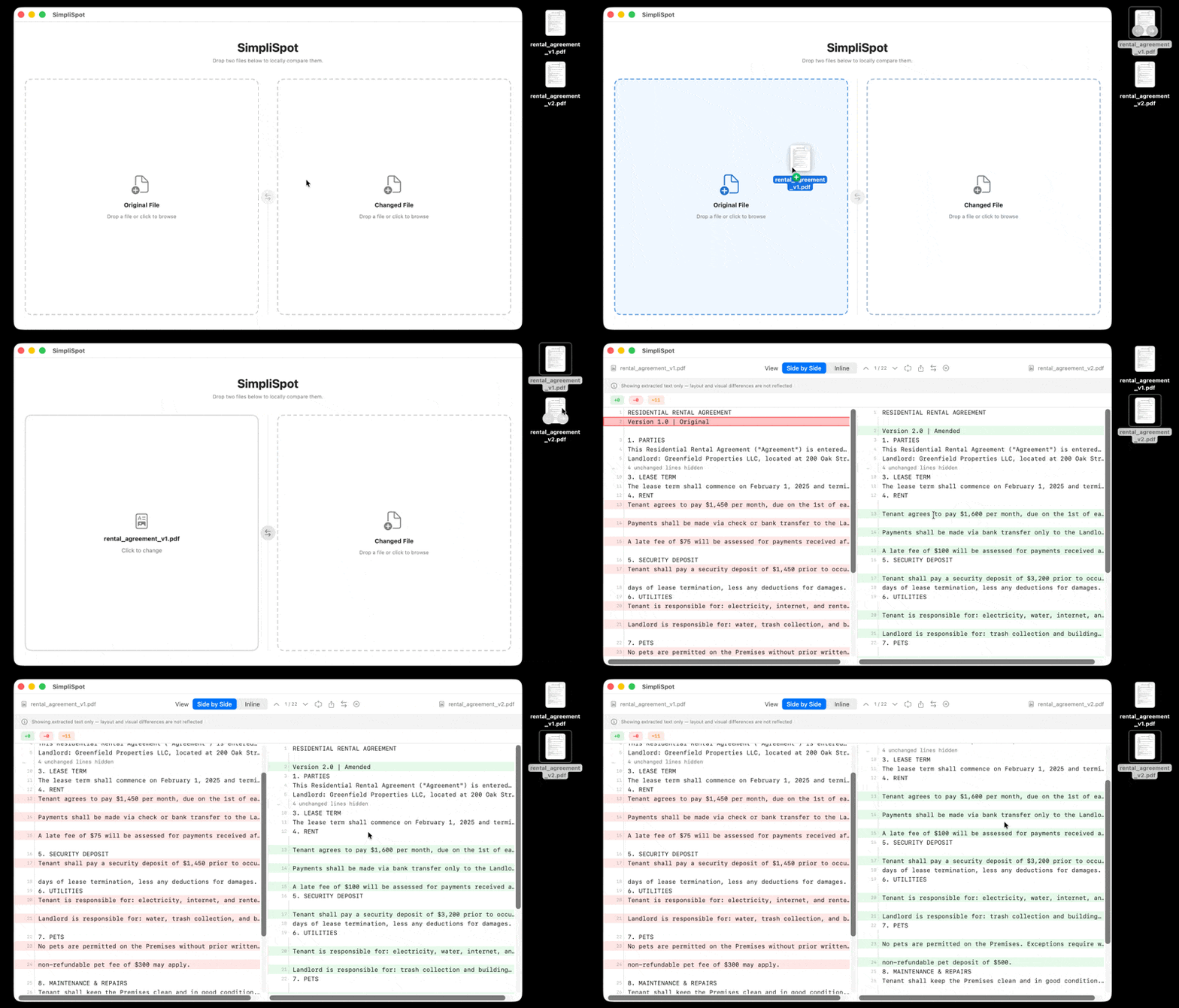
GitHub-style diff
Familiar side‑by‑side and inline views with color‑coded changes.
Drag & drop
Drop two files or pick them from Finder. No setup required.
TXT, MD, JSON, code
Text and code files, plus PDF & DOCX support.
RAM efficient
Native macOS app, lightweight and fast. No subscriptions.
See it in action
Stop wrestling with diff tools. Start seeing changes clearly. SimpliSpot gives you a focused, privacy‑first way to compare two files on macOS.
Built for
Lawyers, writers, teachers, and anyone who needs to see what changed between two files.
Common questions
What platforms does SimpliSpot support?
SimpliSpot is currently a native macOS application. Windows and Linux support is not available at this time.
Which file types can I compare?
TXT, MD, JSON, and common code files (.py, .js, .ts, etc.), plus PDF and DOCX.
Do my files ever leave my computer?
No. All comparisons run locally on your Mac. No uploads, no telemetry.
Is this a subscription?
SimpliSpot is a lightweight utility with simple, transparent pricing — no subscription bloat.